How to check price history on Flipkart (free, in 30 seconds)
Flipkart doesn't show what a product cost last month. Here is how to see its full price history for free, read it in a minute, and get an alert when the price drops.
Flipkart shows you today's price and a crossed-out MRP. It doesn't show what the product cost last week, last month or before the sale started. That is the number you actually need, because a discount off the MRP tells you nothing about whether today is a good day to buy.
This guide shows how to see the full price history of any Flipkart product in about thirty seconds, for free, and what to look for once you have it.
Only 3 in 10 sale prices were real lows
In the first week of the sale, 30% of the Flipkart products we track dropped below their lowest price of the previous three months. For half of them, the sale price was higher than a price they had already sold for.
Step 1: Copy the product link
Open the product on Flipkart and copy its link.
- In the Flipkart app: tap the share button (the paper plane on the product photo, under the heart), then pick the option to copy the link. Sharing it to yourself on WhatsApp works too.
- On the Flipkart website: copy the address from your browser's address bar.

You don't need to clean the link up. The app often copies a whole message like "Take a look at this product on Flipkart" followed by a short dl.flipkart.com link. Paste all of it; we pick the link out for you.
Step 2: Paste it on SpendMitra
Go to the Flipkart price history page, paste the link into the box and press Check price. You don't need an account.
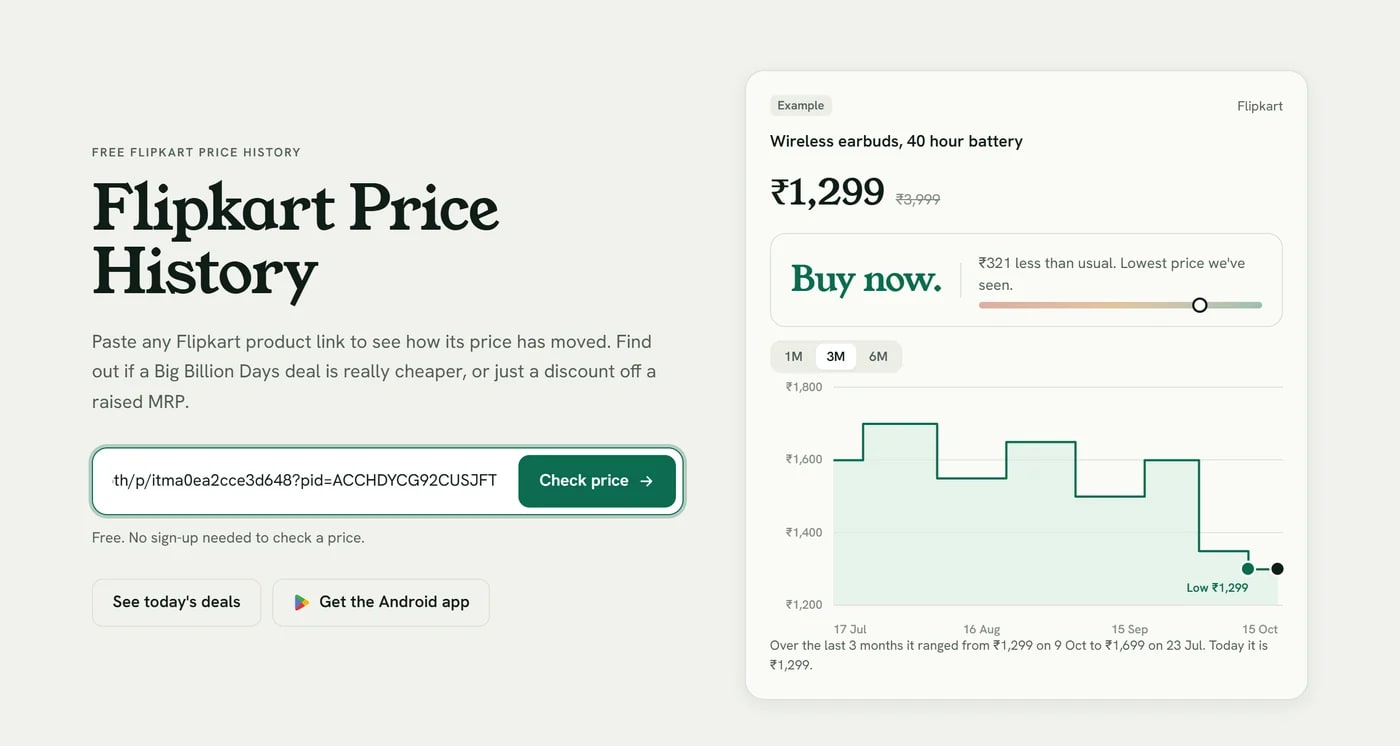
If we already track the product, its history appears straight away. If it is new to us, we fetch its past prices first, which takes a few seconds, and from then on we check its price through the day.
Step 3: Read the price history
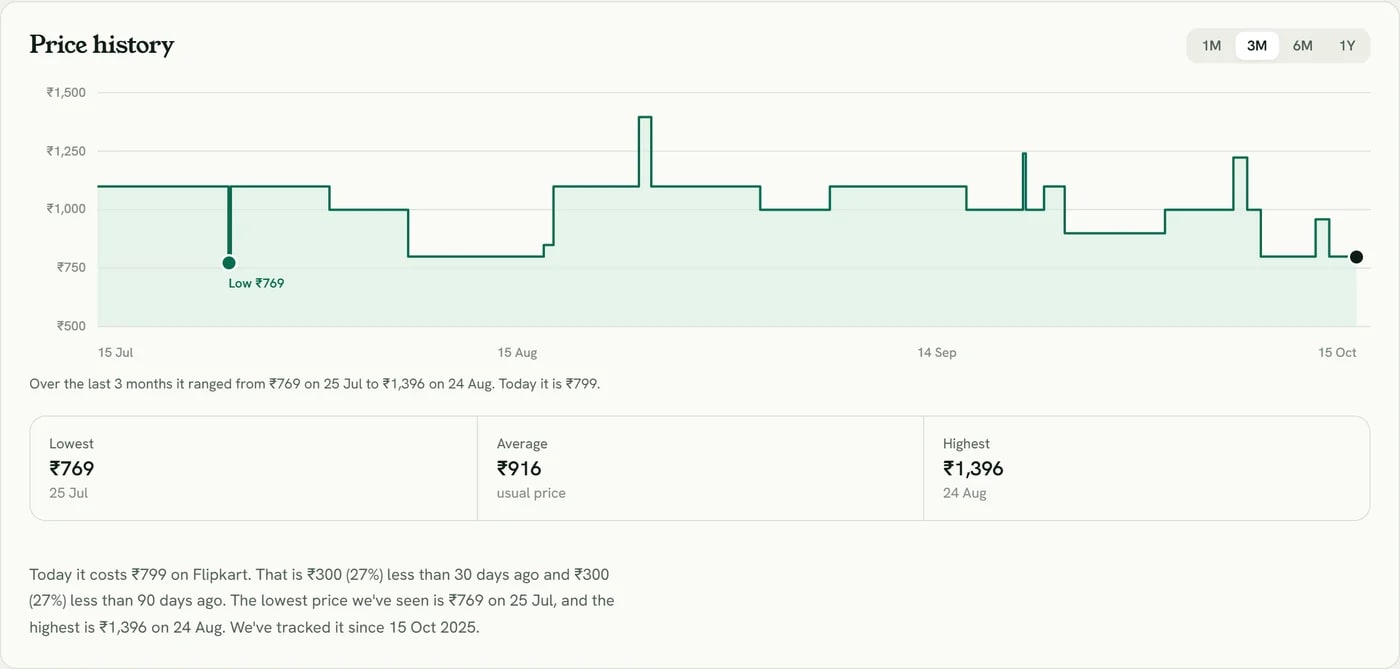
The chart shows every price we have recorded, up to a year back. Three numbers matter more than anything else on the page:
- Today's price, which is what Flipkart charges right now.
- The usual price, which is the average over the period you pick. If today's price is at or above it, today is a normal day, whatever the discount badge says.
- The lowest price, which is the one to aim for. Check when it happened and whether the line stayed there for a while or only touched it for a day.
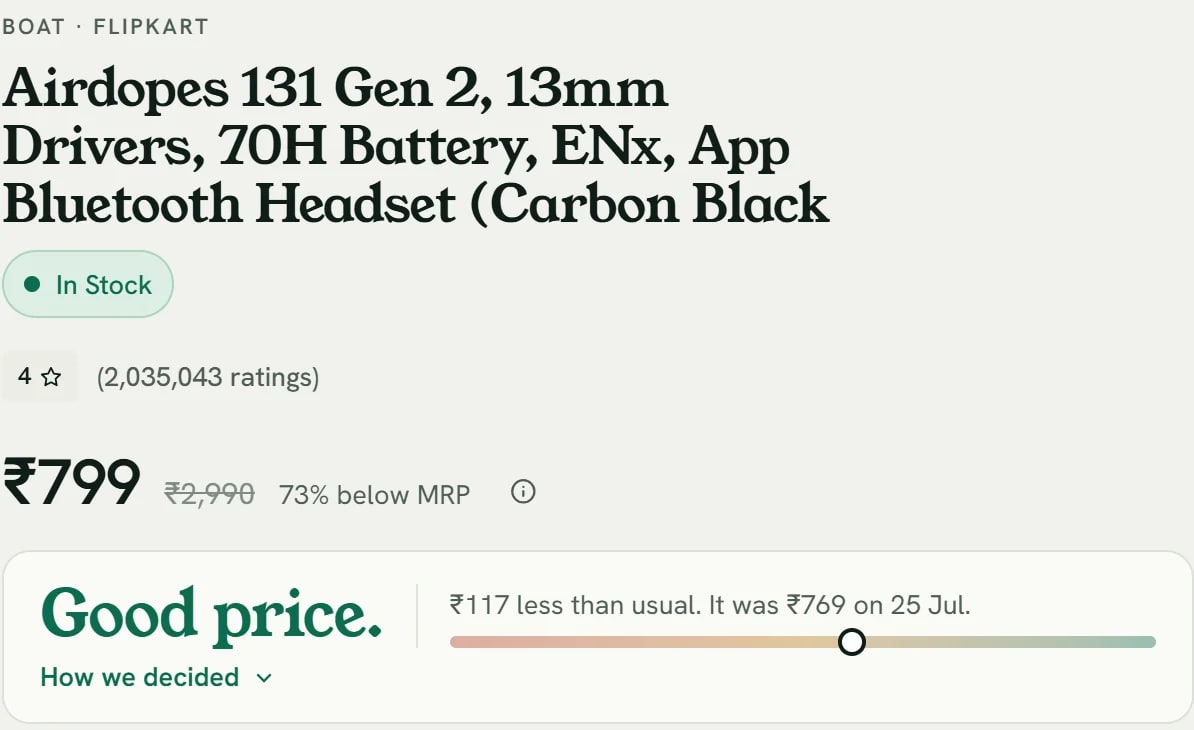
At the top of the page, the verdict sums this up in a few words: buy now, good price, fair price or wait. It looks at where today's price sits in the product's history, how far it is below the usual price and which way the price has been moving.
For a deeper look at what the shapes on the chart mean, see how to read a price history chart before you buy.
Step 4: Not low enough yet? Set an alert
If the history says wait, you don't have to keep checking. Press Watch price on the product page and choose how to hear from us: Telegram, email or the Android app. We tell you when the price drops, or when it reaches the target you set.
A good target is a price the product has actually sold for in the last few months, not a one-day spike from a year ago.
Flipkart quirks worth knowing
Each colour and size has its own price
On Flipkart, a phone in blue and the same phone in black are separate listings, and their prices often move differently. Copy the link after you pick the exact colour and storage you want, so the history you see is for the one you will buy.
Prices can differ by city and seller
Some products are sold by different sellers in different cities, at different prices. We check Flipkart prices for a delivery address in a major Indian city, so in a few cases the price you see at checkout can be a little different. If a product shows as available with us but not for your pincode, the seller probably doesn't deliver to you.
Bank offers and coins are not in the price
The history tracks the price everyone pays. Card discounts, exchange offers and SuperCoins come on top, and they change too, so compare them separately.
Flipkart Minutes and Shopsy
Links from Flipkart Minutes work like normal Flipkart links. Shopsy is a separate store, and we don't track it yet.
Common questions
Does Flipkart show price history?
No. Flipkart shows the current price and the MRP, but not how the price has changed over time. You need a price tracker for that.
How far back does the history go?
Up to a year for products we have tracked that long. For a product new to us, we load what earlier history we can find when you first check it.
Is it free?
Yes. Checking the history and setting price drop alerts are free, and checking doesn't need an account.
Can I do this on my phone?
Yes. The site works on any phone browser, and our Android app lets you share a Flipkart product straight into it from the Flipkart app.
How we measured this
The sale figures compare each product's lowest price from 8 to 14 October 2026 with its lowest price in the 90 days before 8 October, for the 13,687 Flipkart products we were actively tracking with history from before that period. "Below its lowest" means at least 1% lower. On 12 October we started reading Flipkart prices for a delivery address in Hyderabad, which raised the price of some listings that are cheaper only in other regions, so a small part of the "higher" group comes from that change. Numbers are rounded.